It’s a Fix Fest! A tool for fixing accessibility issues on websites.
We try to build accessibility from the ground up, and it's our goal that the work we design is accessible to all.
July 31, 2026
Back in 2024, the United States Department of Justice issued a rule making web accessibility mandatory for all public entities. The deadline is April 2027 for large public entities and April 2028 for small ones, which means there’s currently a large need for finding accessibility issues and fixing them within public websites.
We try to build accessibility from the ground up, and it’s our goal that the work we design is accessible to all. When we do happen to come across accessibility issues at Brand New Box, designers are in charge of writing up a report of the necessary fixes so that our developers can quickly solve and remedy these problems. It’s tedious work, so we built our own tool for it.
About the Project
As a design apprentice here at Brand New Box, I was assigned to audit a client website and return a report of all the accessibility issues I found. Vika Scripps, a designer here at Brand New Box, showed me the current flow of how to perform these audits. During the demo, Vika showed me a Google Chrome extension called the “WAVE evaluation tool,” designed to help authors make their web content more accessible to individuals with disabilities.
The tool is simple. It determines what accessibility requirements a website is lacking and shows errors with suggested fixes for each one. Perhaps a website’s form field doesn’t have a focus state, or images are lacking alt text. Whatever the case is, the extension points it out.
What stood out to me about this entire workflow was the fact that these audits still had to be written up into a report by hand. The tool only finds the issue and suggests a fix, nothing more. I asked Vika several questions, including the obvious one: why does this extension look like it’s from the prehistoric age? But I also wanted to know: “Why isn’t AI being utilized for these audits?”
That’s what sparked the idea for Fix Fest.
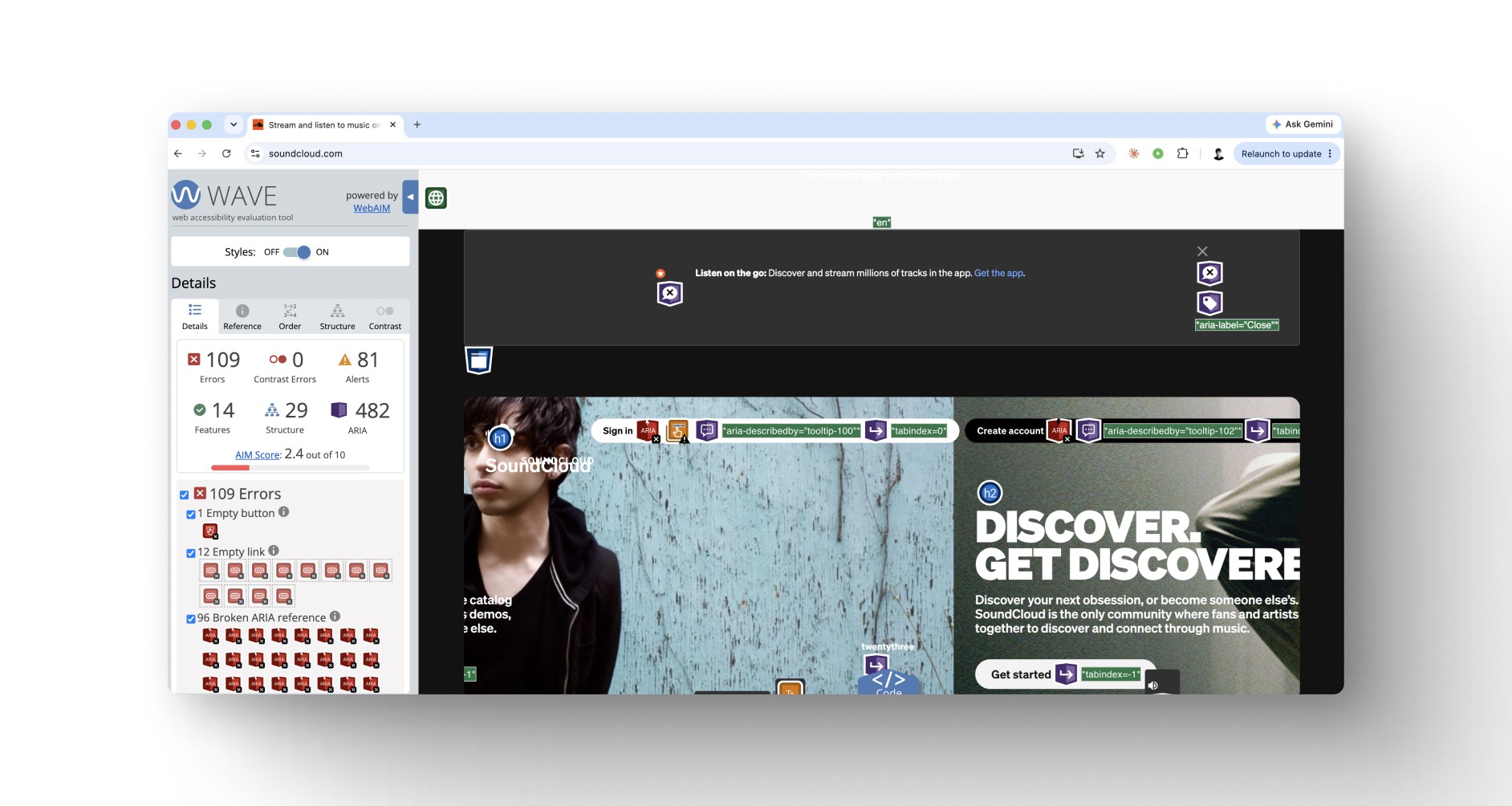
The WAVE extension flags errors on SoundCloud’s homepage but stops at detection; every fix still has to be written up by hand, which is what sparked the idea for Fix Fest.
Planning
The plan was to make a new extension under our own terms, for our own needs at Brand New Box. Using WAVE as a baseline for what needed to be caught, we would run the actual detection on axe-core, a publicly available open-source engine that covers the same accessibility standards. We’d also add an AI layer on top that reviews findings, contextually understands images using Claude Vision, and even writes up reports for developers.
I’m not a developer. In fact, I don’t know how to write a single line of code. But I do know how to identify a problem and come up with a solution in writing.
The Problem becomes the Prompt
After finalizing the idea and talking with both developers and designers on the team for their input, I got to prompting. I’ve come to find that many people think AI works like this:
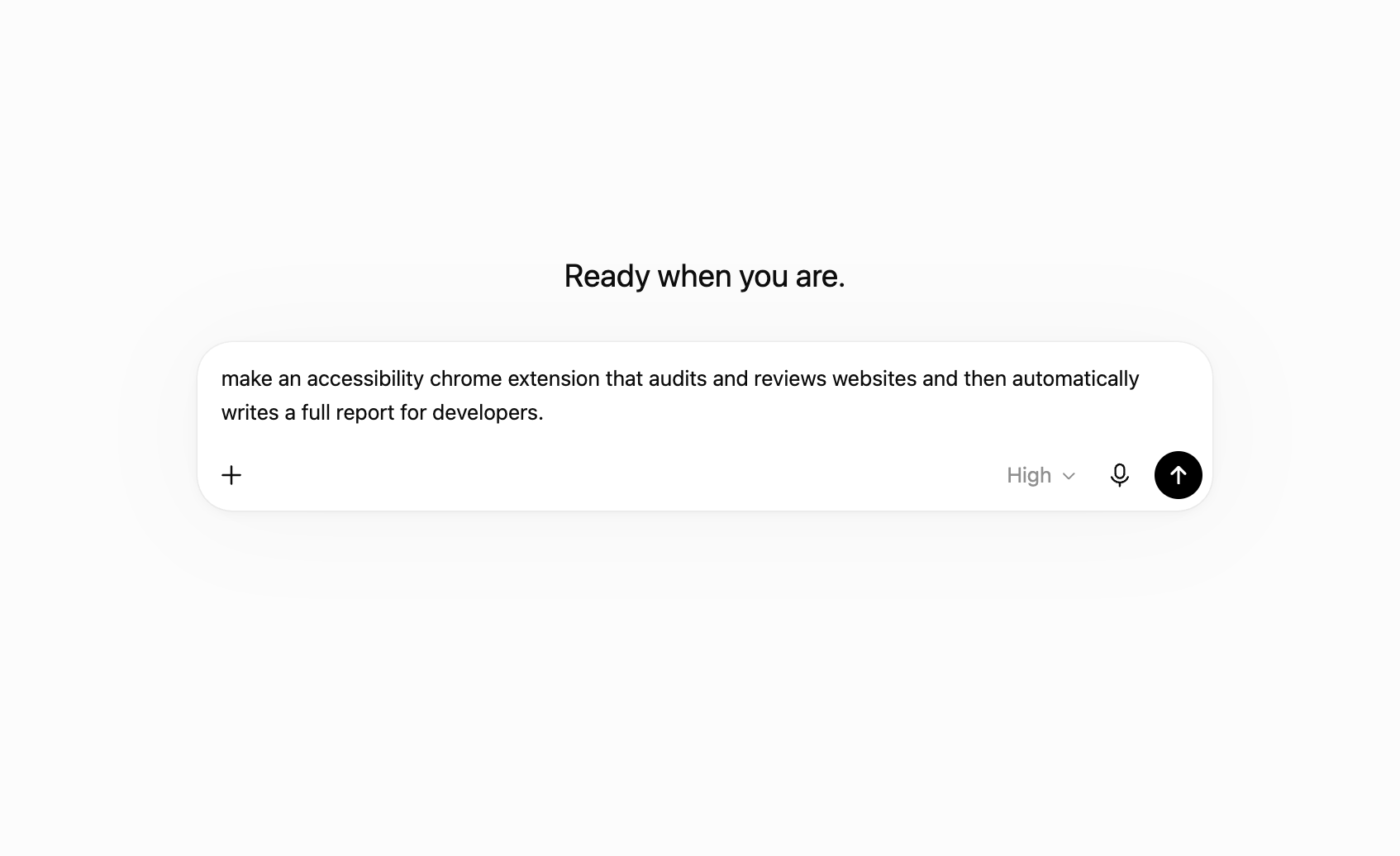
My one-shot-prompt attempt: a single one-line prompt with no constraints or context—the approach many people assume is all it takes to build something with AI.
Although I WISH that worked, it doesn’t.
Think of AI prompting like you think of a chef. If you ask the chef to make you dinner, the chef will make you “a dinner.” It might taste good, but it might also include an ingredient you’re allergic to, or a food you absolutely hate, like radishes.
If you were to go back to that chef and specifically tell them what you’re allergic to and the foods that you hate, like radishes, the dinner becomes much better because it’s personalized to your wants and needs.
AI is the same way. When you tell the robot:
- What you need
- Why you need it
- How it should look
- Why it should look that way
- How it should function
- Why it needs that function
…the robot’s intelligence adapts and responds to those constraints.
For this new extension, I knew I needed to give Claude as much context for the problem as possible, including my own ideas for a solution. I sent a sub-agent (an AI helper assigned to a smaller part of a larger task) to do research for me. I wanted a strong foundation of what this extension needed to include; otherwise, the “dinner” wouldn’t be perfected to my needs.
Function without Form
The first version was rough. REALLY rough. But it worked.
It showed critical issues, wrote alt text for images, and even wrote up reports for developers. The problem was no longer creating an extension that worked, but rather creating an extension that looked easy to use and navigate through.
It’s important to note that the output the robot gave me originally was because I, as an AI orchestrator, failed to give the robot any constraints, ideas, or even inspiration for how I wanted the interface to look. I was focused more on function than form at first.
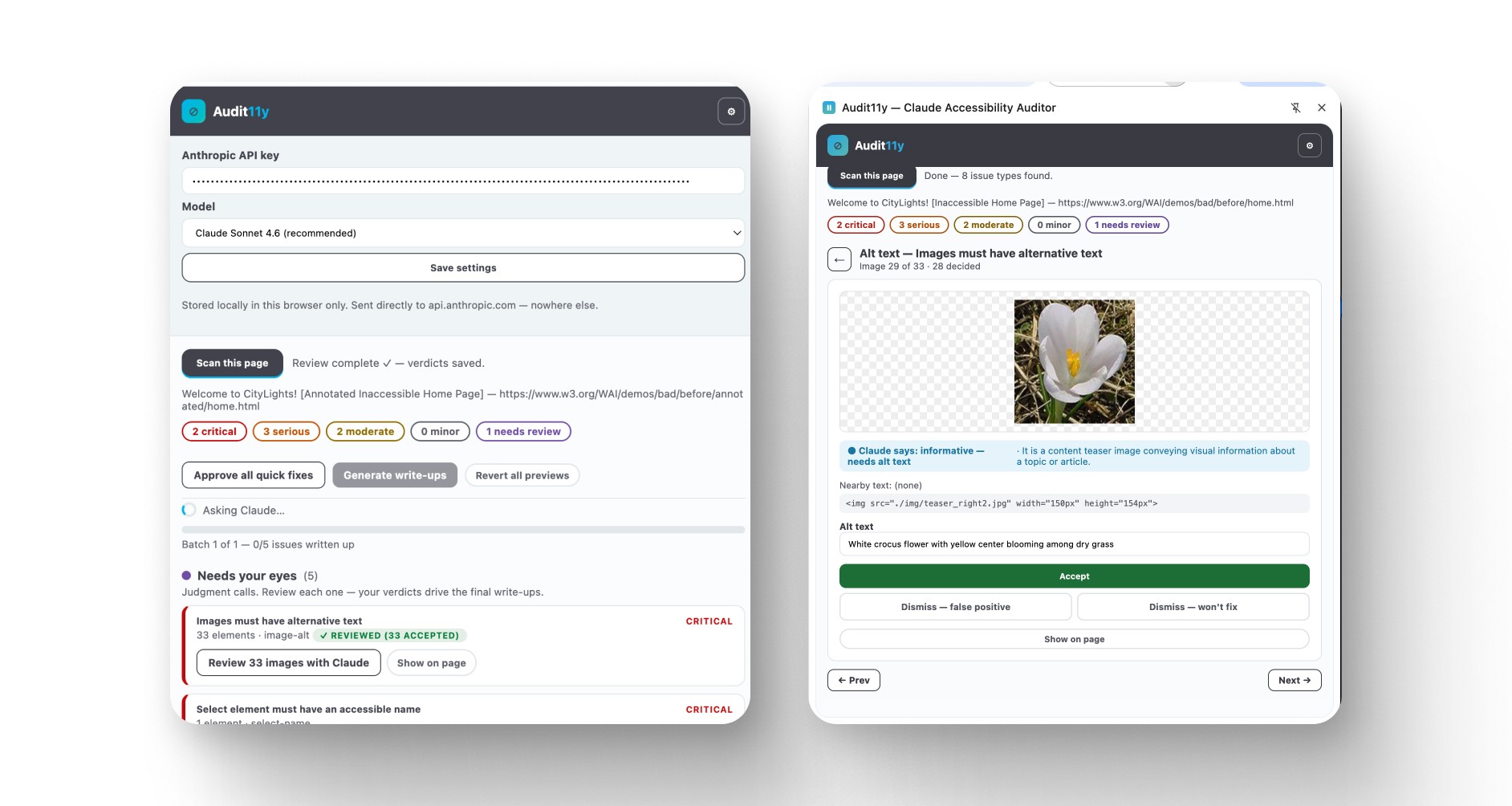
The first working version of Fix Fest. Functional but visually clunky. Scanning a test page and drafting alt text for review worked even before I turned my attention to the interface design.
I took inspiration from the Claude interface. Cream instead of bright white, dark navy instead of black. I wanted the system to feel intuitive and friendly rather than some 2010 clunky junk that the robot originally gave me.
The Handoff
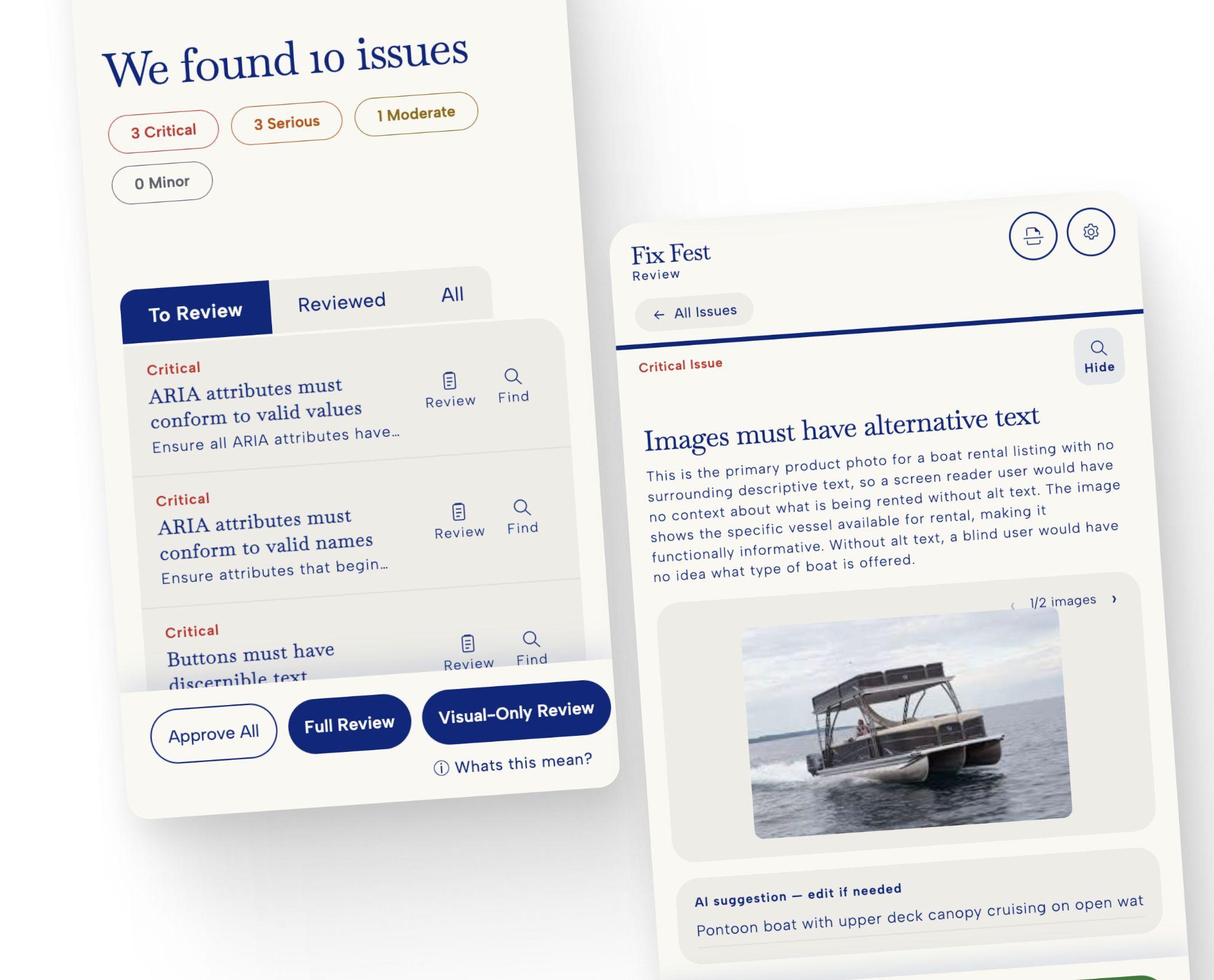
After rounds of testing and designing, we ended up with the current version of Fix Fest: a Chrome extension capable of scanning any published website for accessibility issues and turning those issues into individual write-ups or full reports for developers to address.
Nothing reaches the report unless a designer approves it. Fix Fest finds and proposes; a human decides what truly passes. Contrast fixes get applied to the live page first, so you’re approving something you can actually see rather than a hex code on a list.
The whole audit then exports as a real file, with multiple export options available for easy handoff.
Nobody has to translate the report into issues for the developer. The work is already written, and it can be copied straight into whatever AI model the developer is already using. From there, the developer applies the generated change to their codebase and can even re-scan the page using Fix Fest to confirm the issue no longer flags once the updates are live.
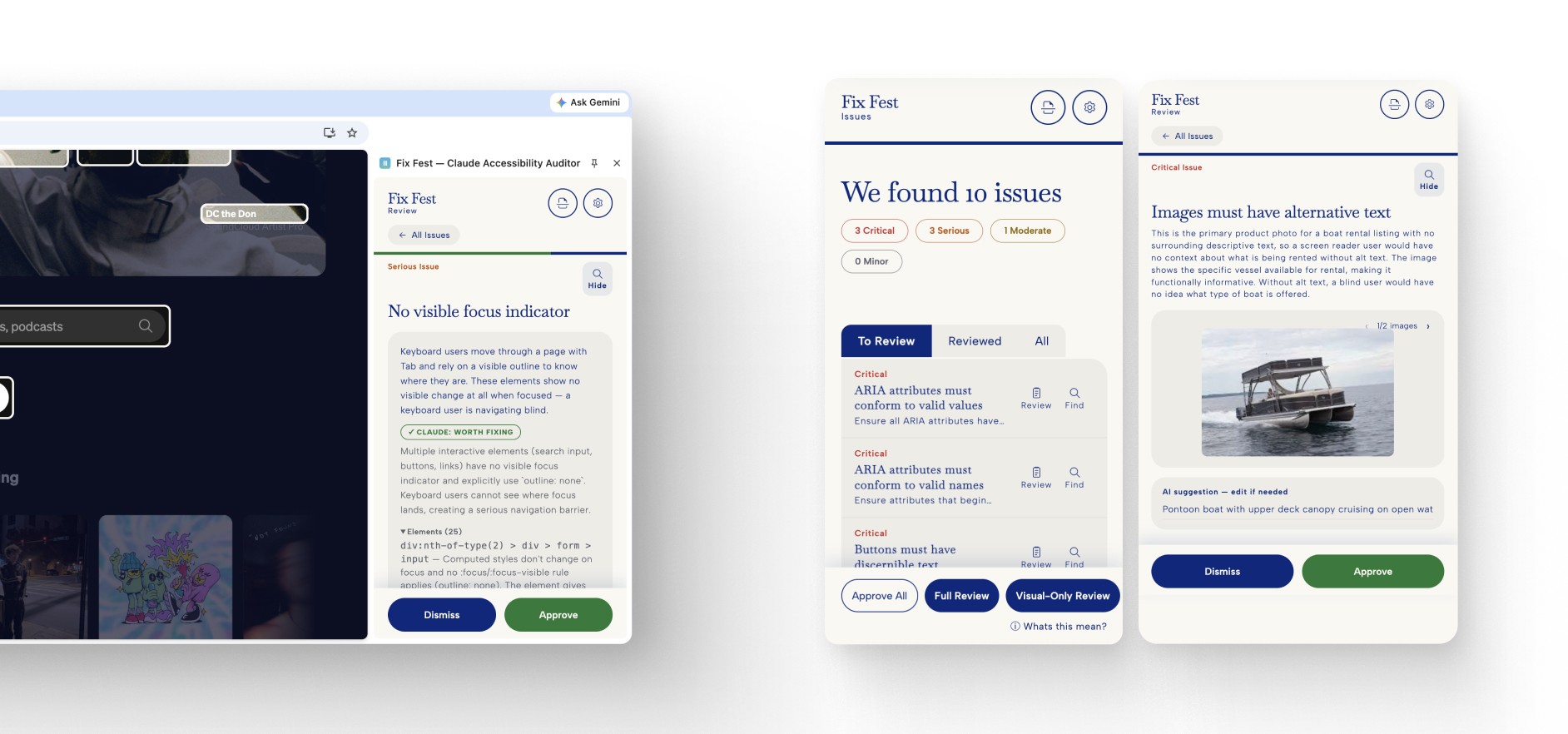
The final Fix Fest interface: it scans a page, groups issues by severity, and turns each one into a reviewable write-up with Claude’s suggested fix.
Prompting Is the Human Touch
As a student entering my senior year at the University of Kansas, I’ve seen a tremendous shift over the past four years in what UI/UX design actually is. In this case, it was about understanding how to use AI to build something that works well and solves a workflow problem.
A lot of designers seem to be opposed to utilizing AI within their work, claiming it doesn’t have a human touch. I believe there’s a strong argument to be made that prompting is part of the human touch. It received human input, and that’s currently what AI needs to be effective.
The relationship between physical mechanics, to software interfaces, to just verbal intent seems to be misunderstood by many designers. Take the threshold effect. It started as a physical process: high-contrast film, chemicals, and plates, hours of labor just to crush an image down to pure black and white. Then Photoshop turned it into a slider you drag with one cursor move. Now it’s a sentence you type.
Of course the effect changes slightly when going digital, but the idea of the effect never changed. What changed is how much work you have to do yourself to get the desired output. Every time that gap closes, the work moves up a level: from operating the machine, to operating the software, to deciding what should exist in the first place.
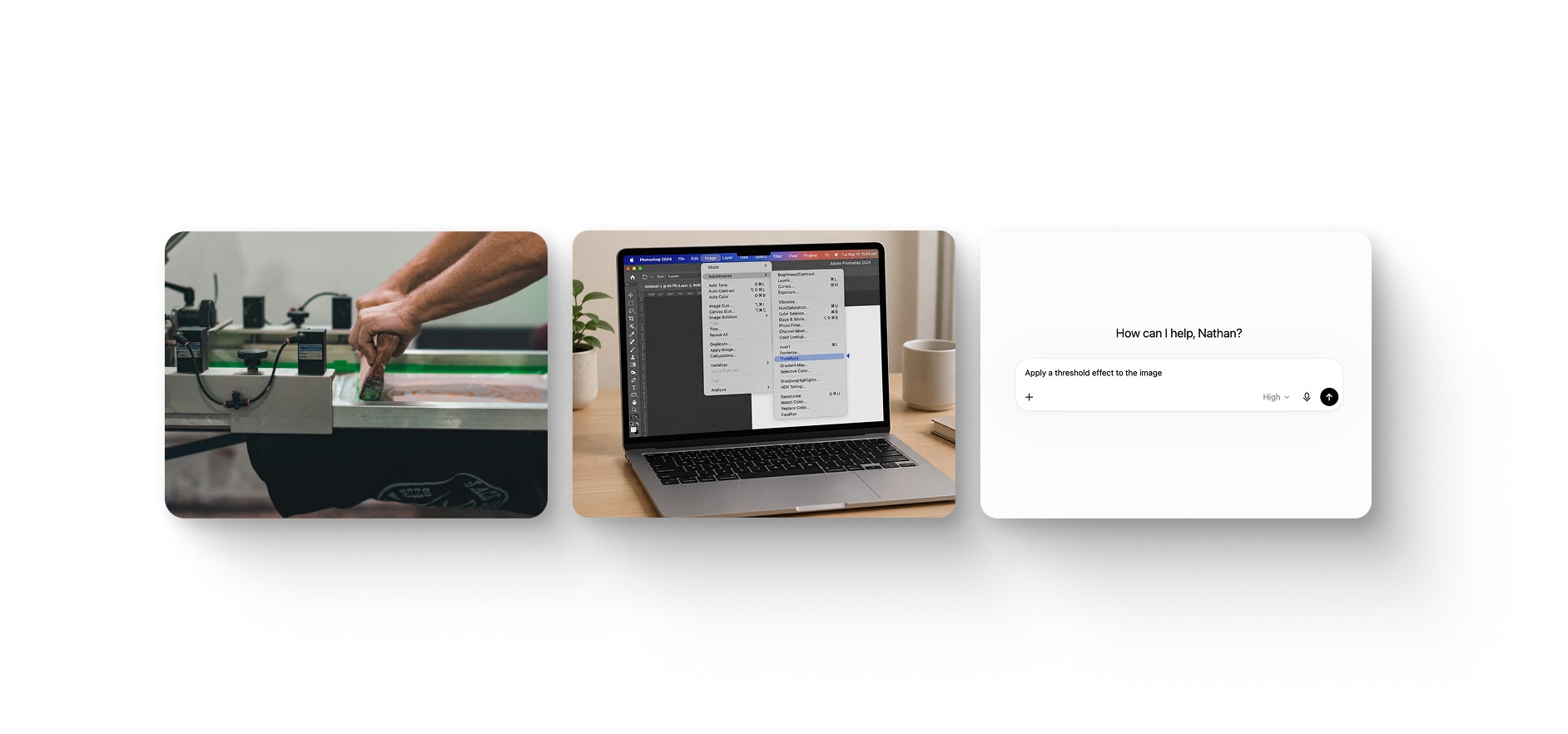
The same threshold effect across three eras: hand labor at the press, a Photoshop effect, and now a typed sentence.
Looking back, I do wish I had spent more time prompting this interface than designing it in Figma. Not because the result would have been better, but because I believe the value of a human-made interface versus an AI-prompted interface is negligible in this specific use case, and my time was worth more somewhere else.
That’s project-dependent, however, and sometimes “manual” design work still earns every hour you put into it. The robot will always make you dinner. The designer decides what belongs on the plate, what needs to be sent back, and how to steer the next attempt toward something worth serving.